


 United States
 Best Seller
 Label Printers
 All PDAs
 All Tablets
 All Thermal Labels
 Printer Accessories
Once a startup gets off the ground (especially if it involves e-commerce, fulfillment, or product sales), printing shipping labels can become one of those everyday tasks that will directly impact the speed and cost, efficiency of your operations. Buying the best label printer for a small business is no longer just a matter of convenience; it is a smart financial decision that will save you a lot of time, money, and frustration when the volume of your orders starts to increase.
In case you're sending out a handful of packages weekly or intend to scale up to hundreds of orders daily, this article will show you the best cheap shipping label printers for startups and explain their benefits, how to choose one, and how to make use of them in automating your workflow.
Why Your Startup Needs a Dedicated Shipping Label Printer
For a startup, a shipping label printer is a must-consideration machine. The following are some reasons:
1. Speed and Efficiency
Unlike regular inkjet or laser printers, thermal label printers are designed specifically for 4×6 shipping labels, which most carriers require. They print faster and with greater reliability, eliminating the need to cut labels manually — a huge time-saver for busy founders.

2. Lower Operating Costs
Thermal printers don’t use ink or toner — the thermal technology prints directly onto specially coated labels, saving you ongoing consumable expenses. Especially when you process many orders, this cost difference adds up.
3. Professional Look
Top-notch shipping labels present a neat and clear appearance; the barcodes are so sharp that the carriers can easily scan them. This way, the packages are swiftly moved through the carrier systems, and the number of delivery errors is minimized.
4. Integration with Shipping Platforms
The majority of newly designed label printers are compatible with leading platforms such as Shopify, Etsy, eBay, FedEx, USPS, UPS, and others, allowing printing directly from your dashboard.
The Factors to Consider Before Buying
When evaluating options, especially if you’re seeking an affordable shipping label printer for small business, consider these key factors:
✔ Connectivity: Printers can connect via USB, Bluetooth, or Wi-Fi. Bluetooth models give you more flexibility, as you can print labels from phones, tablets, or laptops.
✔ Label Size Support: Make sure the printer handles 4×6″ labels without issue — that’s the standard size for most carriers.
✔ Compatibility: The printer should work with your operating system: macOS, Windows, iOS, Android, or ChromeOS.
✔ Ease of Setup and Use: For startups, simplicity matters. Choose printers with plug-and-play setup, clear documentation, and broad platform support.
For Starup Shipping: Choose MUNBYN RW403B
If you’re specifically considering our product — the MUNBYN RealWriter RW403B Bluetooth Thermal Label Printer — here’s why it’s a standout choice for startups:
Designed With Small Businesses in Mind
The RW403B isn’t just another printer — it’s crafted to make shipping labels, inventory tags, and branding stickers with ease. You can print seamlessly across devices (Windows, macOS, iOS, Android) via Bluetooth or USB.
Fast, Reliable, and Accurate
This thermal printer delivers up to 150 mm/s printing speed and clear, scannable output — ideal for 4×6″ shipping labels. Its advanced auto-calibration technology helps avoid misaligned prints, reducing waste and frustration.
Built for Longevity
With a lifespan capable of printing up to 970,000 labels, it’s designed for heavy use over time — a strong investment for an evolving startup.
Powerful Included Software
Accessories include the MUNBYN Print app and online editor, giving you access to thousands of templates, fonts, and design elements — perfect for professional branding and customized label creation.
Creative Branding Beyond Shipping
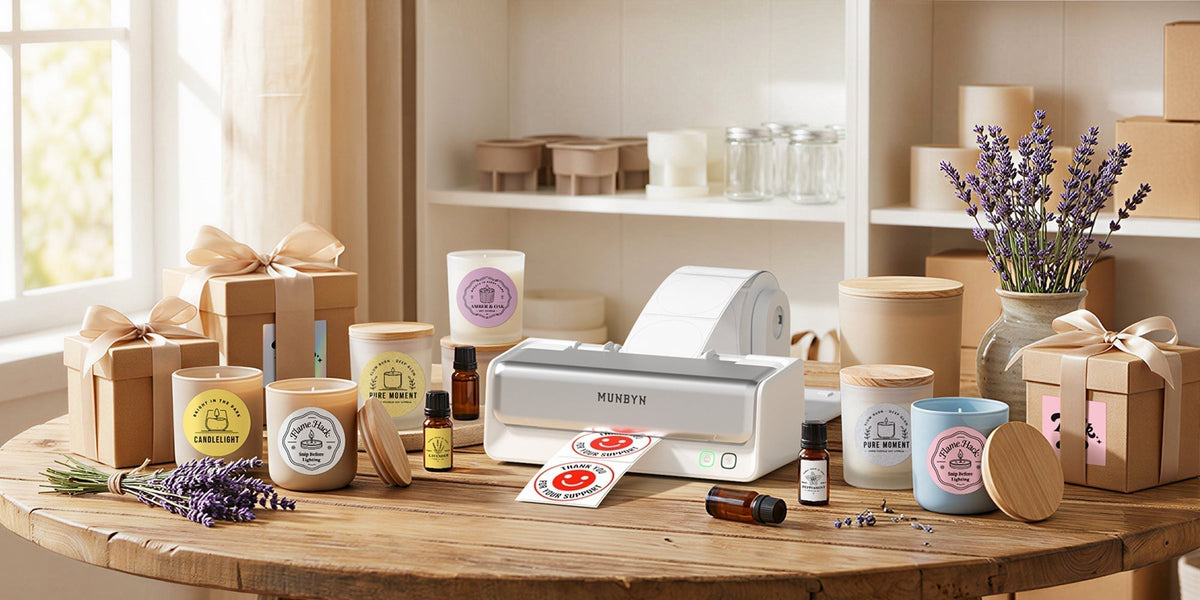
A startup's success often depends on "the unboxing experience." The RW403B isn't just for 4x6 shipping labels; other label sizes (e.g., 4×3, 2×2, and so on) can also be printed. Using the MUNBYN Print app, you can design:
→ Thank You Stickers: Add a personal touch to every package.
→ QR Code Labels: Link customers directly to your Instagram or review page.
→ Logo Stickers: Brand your generic mailers for pennies.

Standout Benefits for Startups
☆ Affordable pricing compared to many competitors
☆ Ink-free thermal printing means lower ongoing costs
☆ Bluetooth support for flexible workflows
☆ Compatibility with major e-commerce platforms
This combination makes the RW403B one of the best choices when seeking an affordable shipping label printer for small business startups.
Quick Tips for Printing Shipping Labels Like a Pro
Optimize Label Sizes
Always use the standard 4×6″ label for carriers like USPS, UPS, and FedEx. It’s the format most online shipping systems expect.
Use Quality Thermal Labels
Instead of using labels that contain BPS/BPA, as these chemicals are not good for your health or the environment, even if you may have the best printer, poor-quality labels can lead to smudges on these labels, making it difficult to read them. Good quality thermal labels are always recommended, such as MUNBYN shipping labels.
Automate With Your Platforms
If you’re on Shopify, Etsy, or WooCommerce, connect your printer to print directly from orders to speed up fulfillment.
Keep Software Updated
Whether using the MUNBYN Print app or the printer’s native software, keeping it updated ensures compatibility with platforms and devices.
Real Startup Workflow: How to Set it Up and Use it Well
A printer is only as valuable as the process around it. Here’s a low-friction setup for shipping operations:
-
Choose the right label stock. Get standard 4×6 direct thermal rolls that match the printer’s roll width and core diameter. Buy a few different roll suppliers to find the sweet spot of price and print quality.
-
Connect & test with your platform. Use the MUNBYN app or drivers to link the printer to Shopify, Etsy, or your shipping software. Print a few test labels and scan them to confirm barcode readability.
-
Batch where possible. Batch fulfillment (print 20–50 labels at once) is more efficient than printing one label per order. Thermal printers are built for that kind of batch throughput.
-
Calibrate and clean monthly. Thermal printers are low-maintenance but they still benefit from scheduled cleaning of the print head and a quick calibration to avoid skewed prints. Follow manufacturer guidance.
-
Label storage & handling. Store label rolls in a cool, dry spot. Avoid touching the label face (oils can reduce barcode contrast) and check adhesive compatibility for any poly mailers or corrugated boxes you use.
Following this process will prevent the three common startup shipping problems: mis-scanned labels, jammed printers, and wasted rolls.
Final Thoughts
Selecting the best label printer for small business depends on your volume, budget, and workflow preferences. For many startups, the sweet spot lies in Bluetooth or USB thermal printers — offering professional performance without a heavy investment.
From ultra-budget options to more robust choices, there’s a model on this list for every startup’s needs — and if you’re leaning toward long-term growth and flexibility, the MUNBYN RW403B is a standout option that balances affordability with reliability and scalability.
Ready to accelerate your fulfillment and streamline your shipping workflow? These label printers give you the tools you need to grow smarter, ship faster, and scale your small business with confidence. Use the discount code "MYSEO" for an extra 8% off.

Share:
Why Shipping Labels Fade? How to Prevent It?
How Small Businesses Can Save on Shipping Costs