


 United States
 Best Seller
 Label Printers
 All PDAs
 All Tablets
 All Thermal Labels
 Printer Accessories
By 2026, within the rapidly changing e-commerce environment, the "unboxing experience" has evolved from being a luxury extra to a basic marketing necessity. In fact, as a result of various social media platforms, more than 65% of people would be willing to post a photo of their order on social media if the packaging seemed personalized and of a high-end quality. For small businesses and entrepreneurs, this essentially implies that every package can serve as a viral billboard. A simple, nicely crafted logo sticker has the ability to turn a plain shipping box into a branded experience that not only gains customer confidence but also leads to them making repeat purchases.
It is a known fact that small business owners are faced with the problem of producing professional-grade branding without having the funds of a large corporation. This book fills in the blank by showing the way to sticker designing and printing that results in professional-looking and consistent products.
Why Your Brand Needs Custom Logo Stickers in 2026
Custom stickers are an extremely affordable method to link your online shop with the real world. They remind customers through touch of the quality and your brand's detail-mindedness.
Besides using them as sealing stickers on tissue paper wrapping or pretty stickers on shipping mailers, a logo sticker will be a great stamp of your brand at the very moment when the customer is full of excitement. In the fiercely competing market, small things distinguish a "hobbyist" from a "professional brand." Apart from making things pretty, stickers can help by packing up, pointing out important information, etc. For a lot of business people, using custom labels is the first step towards a complete brand identity system.
Generating Creative Sticker Design Ideas for Your Brand
The first step in making a sticker that people will cherish and proudly put on display is to figure out the visual direction that speaks to them. Your design will be a mirror image of your brand's character and the main messages you wish to convey.
While generating sticker design concepts, think about the overall feeling you want to express through your company. Is your brand a simple, natural skincare line or a colorful, energetic stationery store? If you still have difficulties, MUNBYN provides a huge catalog of over 3,500 design elements and 2,000 templates. These assets enable you to try out various shapes, icons, and arrangements without being dependent on professional design software. You are free to combine different elements to come up with something that is representative of your narrative while sticking to a professional look.

Exploring Shapes and Sizes
The physical footprint of your sticker dictates how much information you can include and where it can be placed. Choosing the right shape is just as important as the logo itself.
While standard circles and squares are classic choices, die-cut stickers that follow the contour of your logo can provide a more premium, custom look. If you are using a sticker printing machine for small business use, ensure your design fits comfortably within the printable area of your labels. 1-inch circle stickers are perfect for sealing tissue paper, while larger 3-inch labels work better as the primary branding on the outside of a shipping box.
Here is a quick table of popular choices for small businesses:
|
Use Case |
Recommended Size |
Why It Works |
Label Example |
|
Product packaging |
2" circle or 2x2" |
Fits jars, boxes, and thank-you notes |
Circle labels |
|
Shipping & branding |
4x6" or 4x3" |
Doubles as address + logo sticker |
Shipping labels |
|
Inventory & storage |
2.25x1.25" rectangle |
Clear on shelves or bags |
Rectangle labels |
|
Promotional giveaways |
2" round |
Easy to stick on laptops or cars |
Custom labels |

Essential Technical Tips for Sticker Design
Before hitting the print button, make sure you prepare your digital files correctly for physical production. A design that may look stunning on a bright smartphone screen will not necessarily perfectly correspond to a physical label.
To get the best outcome possible, always create your stickers at a very high resolution, preferably 300 DPI (dots per inch). This will avoid the "pixelated" or fuzzy look that can make a business look amateur. Besides, be very attentive to the choice of fonts. Your business name should be clearly readable from a distance. Avoid fonts that are too thin as they will be hard to read once printed on a small scale.
Understanding Color and Contrast
The way colors interact on a printed surface is different from how they appear in a digital design tool. High contrast is your best friend when it comes to brand visibility.
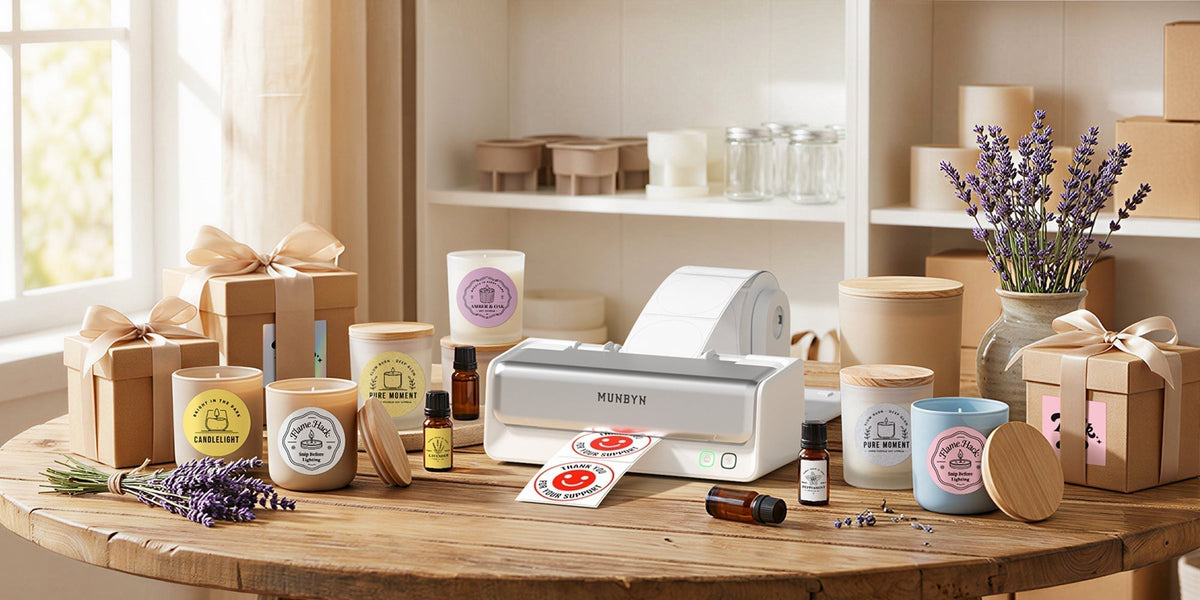
For thermal printing, contrast is particularly vital. Since most thermal printers use heat rather than ink, your design needs clearly defined lines and solid fills. If you are looking to add a pop of color, the MUNBYN RW405B offers a unique dual-color printing capacity. This allows you to use specific dual-color stickers to highlight key parts of your logo, such as a red heart “♥" or a blue accent “★”, making your brand instantly more recognizable than standard black-and-white labels.
Step-by-Step Guide to Printing Stickers for Business Logo Use
Once you have your design and your printer ready, it is time to bring your vision to life. Following a consistent process ensures that every batch of stickers looks as good as the first.
To get started, follow these simple steps:
-
Export your file: Save your design as a high-quality PDF or PNG.
-
Load your labels: Place your chosen thermal stickers into the printer, ensuring they are aligned correctly.
-
Calibrate: Run a quick calibration test so the printer recognizes the size and gap between stickers.
-
Print a sample: Always print one single sticker first to check the alignment and darkness settings.
-
Batch print: Once satisfied, print the remaining quantity needed for your current inventory.
Creative Ways to Use Your New Stickers
Now that you have a stack of professional stickers, it is time to put them to work. The more places your logo appears, the more familiar your brand becomes to your customers.
Consider placing your stickers for business logo branding on the following items:
☞ The exterior of shipping mailers or boxes to build excitement before the package is opened.
☞ Product packaging, such as glass jars, poly bags, or cardboard tubes.
☞ Thank-you cards or packing slips to add a personal touch.
☞ Freebie "swag" included in the box, which customers might stick on their laptops or water bottles.
☞ QR code labels that lead customers directly to your social media or a discount page.
Maintaining Your Equipment for Long-Term Success
To keep your branding looking sharp, you must take care of the machine that produces it. Proper maintenance prevents printing artifacts and extends the life of your hardware.
The most common issue with thermal printing is a dirty print head, which can cause white lines or faded spots on your stickers. Regularly cleaning the print head with an alcohol swab will keep your sticker printing machine for small business tasks running smoothly. For the RW405B model, the replaceable printer head feature is a significant advantage, allowing you to refresh the machine’s performance after heavy use without having to buy an entirely new unit.
Final Thoughts
Devoting a portion of your time to a sticker plan is probably the most effective way to contribute to the upgrade of your small business's professional image. And, of course, all aspects, starting from the very first moment when sticker design ideas strike your mind, through the stage of the decision-making process associated with a reliable sticker printing machine for small business growth, end up building a stronger brand identity.
Thanks to the latest technology, such as the MUNBYN dual-color printer, and the use of their wide-ranging design library, even a person without a design background can reach high-end results. But don't forget that the purpose of your stickers goes beyond simply being pieces of paper with glue on the back; in fact, they represent your brand's story and dedication to excellence in a tangible way. In the course of your development, use your bespoke business logos on stickers as a quality sign that makes your customers want to come back for more. With the right strategy and accurately selected tools, there are literally no boundaries for the growth of your brand.
Share:
How to Fix Label Printer Alignment Issues
MUNBYN Printer Drivers Download 2026 Guide