


 美国
美国 Best Seller
 Label Printers
 All PDAs
 All Tablets
 All Thermal Labels
 Printer Accessories


Product highlights

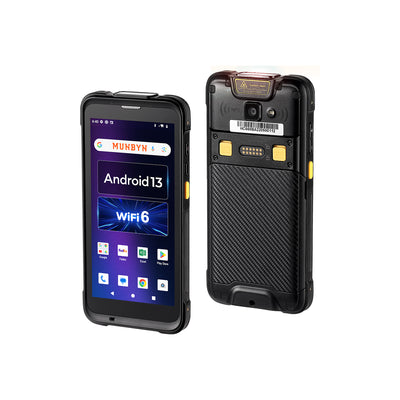
Android 13
Smooth & Secure Enterprise OS

Wi-Fi 6
Ultra-Fast & Stable Connectivity

Zebra SE4710
High-Precision Engine

4300mAh
Removable for 24/7 Shift
节省 22%
MUNBYN IPDA101 Handheld Mobile Computer Barcode Scanner
A rugged Android barcode scanner built for warehouse, retail and inventory operations.
NOW
$548.90
Saved $151.09
Original Price

00
D
00
H
00
M
00
S
Code copied to clipboard!
Translation missing: zh-CN.warranty_bundle_sync.heading
Ready to ship with free delivery.
Buying for a business?
Get a custom quote for potential bulk savings on approved business orders.
Product highlights
Android 13
Smooth & Secure Enterprise OS
Wi-Fi 6
Ultra-Fast & Stable Connectivity
Zebra SE4710
High-Precision Engine
4300mAh
Removable for 24/7 Shift
Key Features
- Android 13 Version: The Android operating system has advanced from Android 11 to Android 13 in the latest iteration of the series. This update introduces strengthened privacy protections, expanded customization options, and improved compatibility. Ensuring the security of your data for the Android barcode scanner's entire lifespan, thereby safeguarding against the disclosure of information and work outcomes. We could help you test your apps before you purchase in bulk. (incompatible with Zebra Datawedge)
- Enhanced User Experience: Featuring Wi-Fi 6, this handheld mobile computer delivers data transfer speeds up to three times faster than Wi-Fi 5, enabling smooth collaboration among teams and efficient training as needed, thereby transforming warehouse operations. It empowers companies to effectively address labor shortages and has the potential to increase work efficiency by up to 300%.
- Rugged & Compact: Equipped with a Zebra SE4710 scanner engine, this handheld computer ensures swift bar code scanning capabilities, even for those that are damaged or unclear. It is outfitted with a pre-installed scanner application known as Infowedge. Boasting an IP65 rating, protected against damage from both water immersion and dust exposure. Additionally, it is equipped with a hand strap belt to prevent accidental drops, and offers robust drop protection from heights of up to 1.8 meters (5.91 feet).
- Durable and Clear Display: This Android mobile computer features a large 5.5-inch touch screen, the biggest in its category, ensuring clear visibility for its users even outdoors due to its excellent sunlight readability. Reinforced with impact-resistant Corning Gorilla Glass and an additional replaceable protector, this rugged Android handheld mobile computer is designed to extend the lifespan of the PDA's display, maintaining reliability for any task at hand.
- [Excellent & Suitable] High features for the right budget, keep up with your growing business. This handheld computer is equipped with an exceptional CPU, Qualcomm Snapdragon 6115 2.0GHz Octa-core, plus massive memory 3GB+32GB. Compatible with “Odoo” and “Zoho Inventory” inventory management software. The camera and the scan engine cannot run simultaneously.
What's in the box?
Free Shipping on Orders Over $79*
Ships within 48 Hours.
14-day Risk-free Trial
2-Year Warranty & Lifetime Support
30-day Price-Match
$548.90$699.99
Saved $151.09
4 interest-free payments of $137.23
Order now, ships within 48 hours
Need help choosing the right product or placing an order?
Our MUNBYN support team is here to help. If you have any questions about products, compatibility, orders, or after-sales service, feel free to contact us at any time. We respond to all inquiries within 24 business hours (Monday–Friday).
-
Shipping Information
We offer free shipping straight to your door throughout the contiguous US*. It usually takes 2-5 business days* for your package to be delivered, so you can sit back and relax, worry-free.
*Please see our shipping policy for more details. -
Help Center
Find everything you need in one place:
- Manuals & drivers
- Setup guides and troubleshooting
- Order, shipping, and warranty support
-
FAQ’s
Have a quick question?
Visit our FAQ page, which covers the most common topics, including:
- Product features and specifications
- Compatibility with devices and software
- Shipping, returns, and warranty policies
- Troubleshooting and basic setup
If you can’t find the answer you’re looking for, our support team is always ready to help.
-
Still need assistance?
Contact Us at
Order: order@munbyn.com
Tech: support@munbyn.com
+1 628 229 3612
Mon - Fri: 7AM - 5PM (UTC-8)

MUNBYN IPDA101 Handheld Mobile Computer Barcode Scanner
$548.90
Product details
Product Specifications
| Feature | Details |
|---|---|
Model | IPDA101 |
Product Dimensions | 160.0 × 76.0 × 15.5 mm / 6.3 × 2.99 × 0.61 in |
Item Weight (g) | 287 g / 10.12 oz (with battery) |
Operating System | Android 13 |
CPU | Qualcomm 2.0 GHz Octa-core |
Display Screen | 5.5-inch HD display (18:9), IPS LTPS 1440 × 720; Screen brightness: 450-500nit |
Touch Panel | Corning Gorilla Glass, multi-touch, gloves & wet hands supported |
RAM + ROM | 3 GB + 32 GB |
Expand Memory | Supports up to 128 GB Micro SD card |
2D Imager Scanner | |
WLAN | |
WWAN (America) | |
Vo-LTE | Support Vo-LTE HD video voice call |
Bluetooth | Bluetooth 5.1 |
GNSS | GPS/AGPS, GLONASS, BeiDou, Galileo, internal antenna |
NFC | |
Camera | Rear 13 MP Autofocus with flash |
Battery Capacity | 4300mAh(main) removable main battery, 5200 mAh optional pistol battery, supports QC 3.0 and RT(Android 11 with fingerprint / built-in UHF / volume measurement version: 5200mAh) |
Operating Temperature | -20℃ ~ 50℃ |
Sensor | Gravity, proximity, light, accelerometer, vibration motor |
Key | 1 power key, 2 scan keys, 2 volume keys |
Expand Port | 1 slot for SIM card, 1 slot for SIM or TF card |
SDK Development | Android SDK Language: Java, Tool: Android Studio/Eclipse/Xamarin |
Product Certification | CE-RED, FCC-ID, FCC-SDOC, ROHS, IC, IP65, MIL-STD-810H, 2m drop |
Storage Temperature | -40℃~ 70℃ |
Environment Humidity | 5% RH – 95% RH non condensing |
Drop Specifications | Multiple 1.8 m / 5.91 ft. drops (at least 20 times) to the concrete across the operating temperature range; Multiple 2.4 m / 7.87 ft. drops (at least 20 times) to the concrete after installed rubber bumper |
Special Features | Zebra SE4710 Scanner Engine; IP65 Rated |
Product Comparison
| Models |
THIS MODEL
 MUNBYN IPDA101 Handheld Mobile Computer Barcode Scanner
Current Page
|
---
|
---
|
|---|---|---|---|
| Scanner | Zebra SE4710 | --- | --- |
| Screen | 5.5-inch HD full screen 450 Nits 1440 x 720 |
--- | --- |
| Color | Black | --- | --- |
| CPU | Qualcomm SDM6115 | --- | --- |
| Connectivity | Wi-Fi 6 NFC 4G BT5.1 |
--- | --- |
| OS | Android 13 | --- | --- |
| Battery | 4300 mAh(main) removable main battery 5200 mAh optional pistol battery |
--- | --- |
| Memory | 4GB+64GB | --- | --- |
MUNBYN Android 13 & Wi-Fi 6 Scanner, Raise Your Working Efficiency!

The Upgraded Android Version from IPDA086 to IPDA101.

High Performance Wi-Fi 6, Key Features & Benefits

Know More Details of Android Bar code Scanner


Why Customers Choose MUNBYN
Discover the difference of choosing MUNBYN.
Over
Satisfied Customers
Over
Products Sold
Over
Patents
Selling in
Countries
Over
Factory
Over
Employees
Over
Technicians
Always
Service & Tech Support
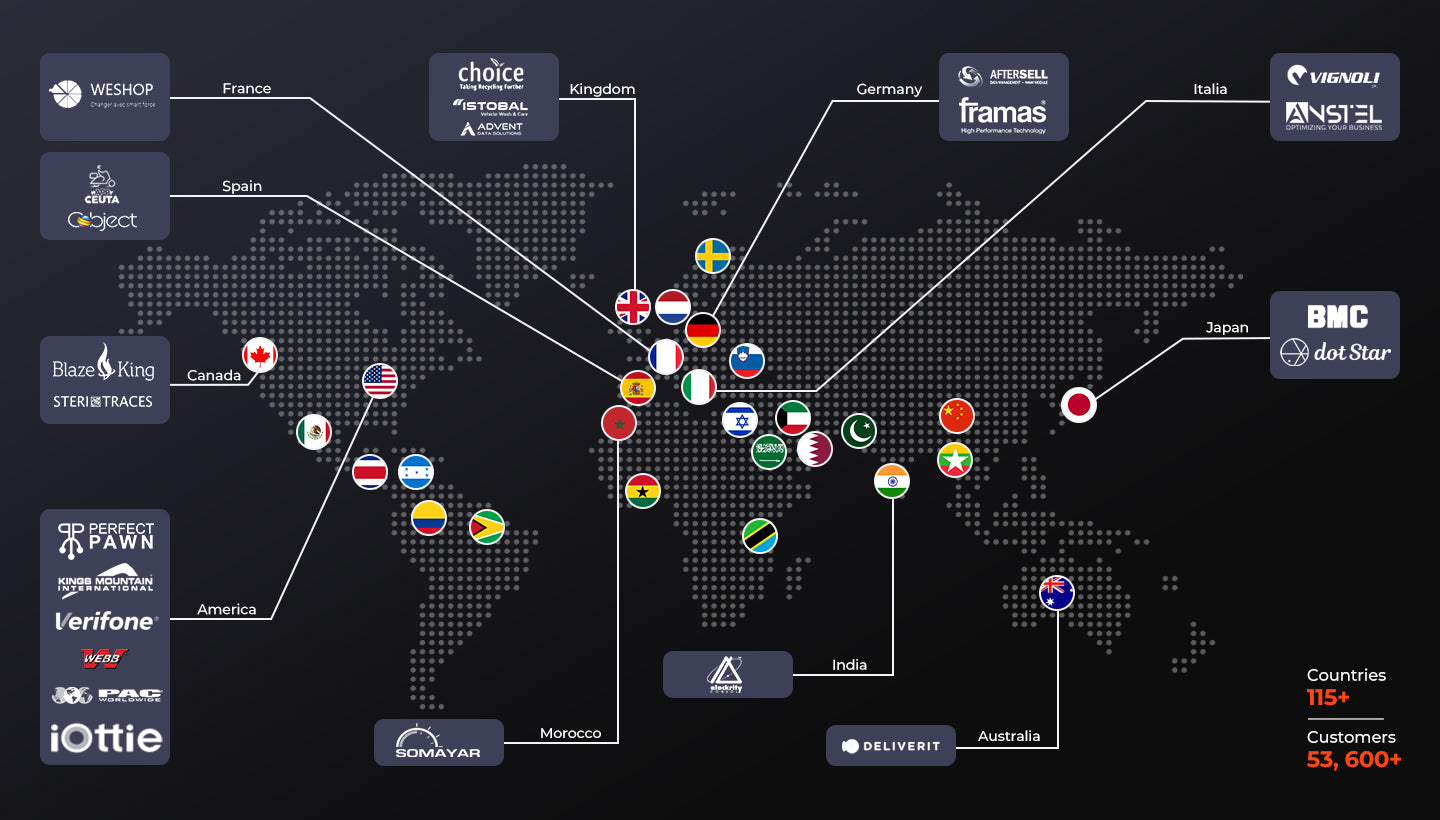
Our Partners












Customers praised this Android-based handheld scanner for its fast, accurate barcode reading and excellent battery life. The pistol grip design is "very ergonomic and efficient." Many warehouse customers noted exceptional customer service and technical support. Some found initial setup challenging. Overall, customers appreciate the value compared to premium brands.
G
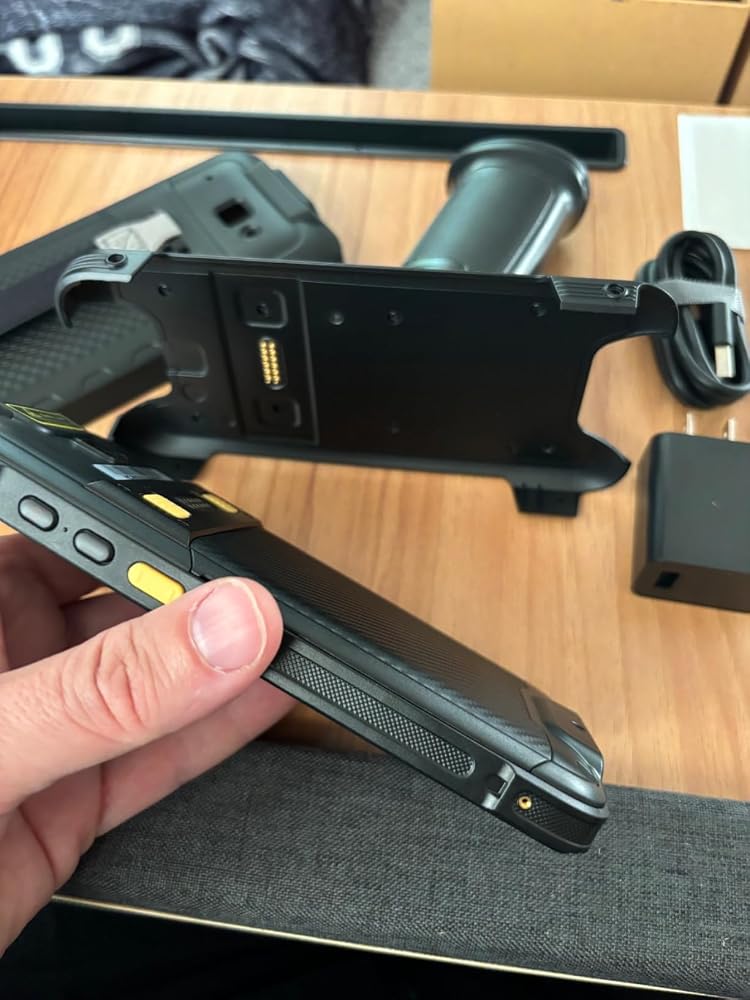
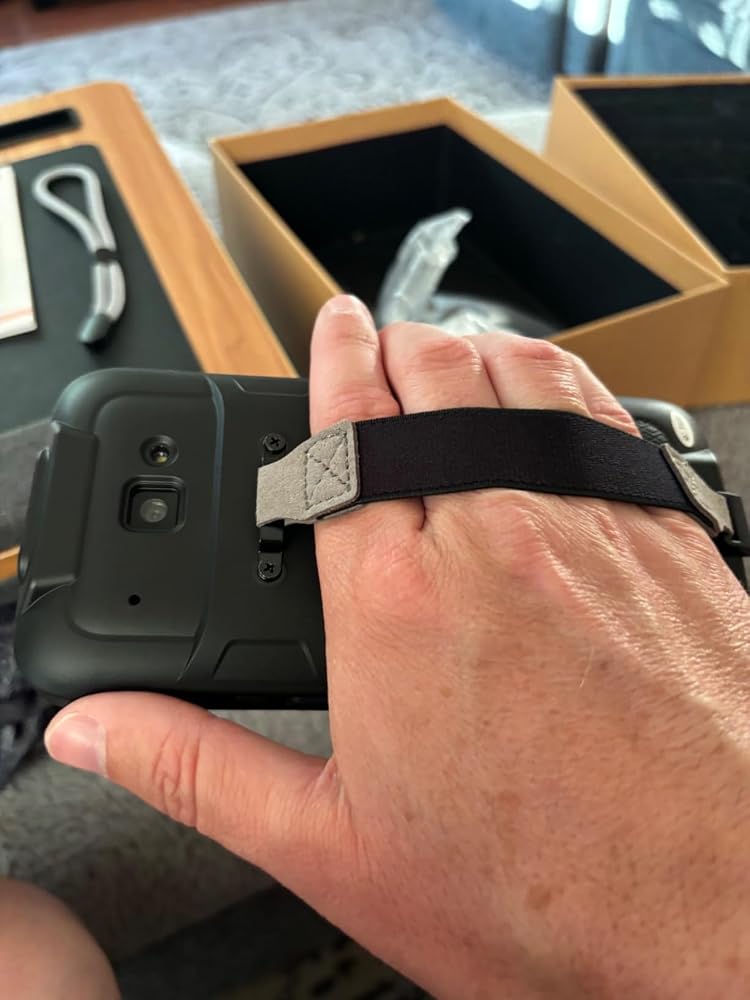
This Android scanner is basically a fully functioning Android phone with a built in barcode scanner that can be mounted to a scanner gun for easy use. You can use the internet and insert a SIM card if you wanted to. The device does weigh quite a bit more than a normal phone so it is not the best option for that purpose.The scanner eye is very quick and it takes a fraction of a second to register and accurately display the barcode. There are a lot of settings to adjust to have it work the best way for your business needs.The setting up and does take a lot of time and the instructions to get it scanning are not the best and it does need a lot of work. Once it is all set up and working well, the scanner feature is very good.There is a scanner gun attachment with a built in battery and it works really well. The other case with a hand strap is comfortable.



E
The reason I got this bar code scanner is having a small shop to track my inventory. The scanner which is 2D is very fast and scans immediately. Remember, you can use this scanner as a cellphone because it's compatible with sim cards or you can use it with Wi-Fi. Screen on this device is very bright and high quality picture. Furthermore, I like the battery life which has a fantastic capacity. Highly recommended.


A
Great purchase!


N
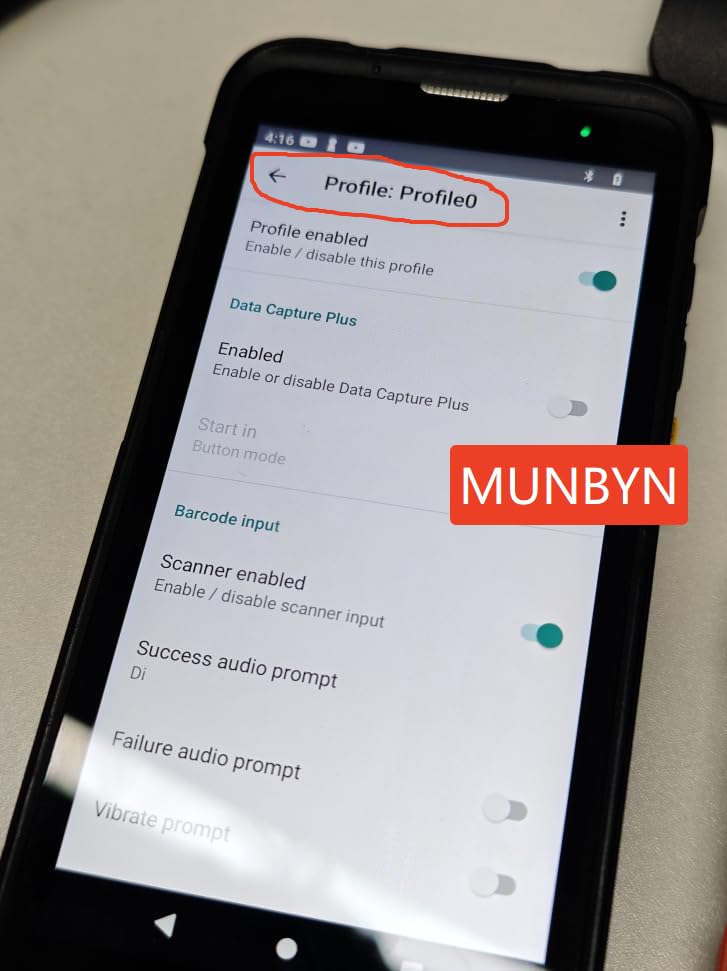
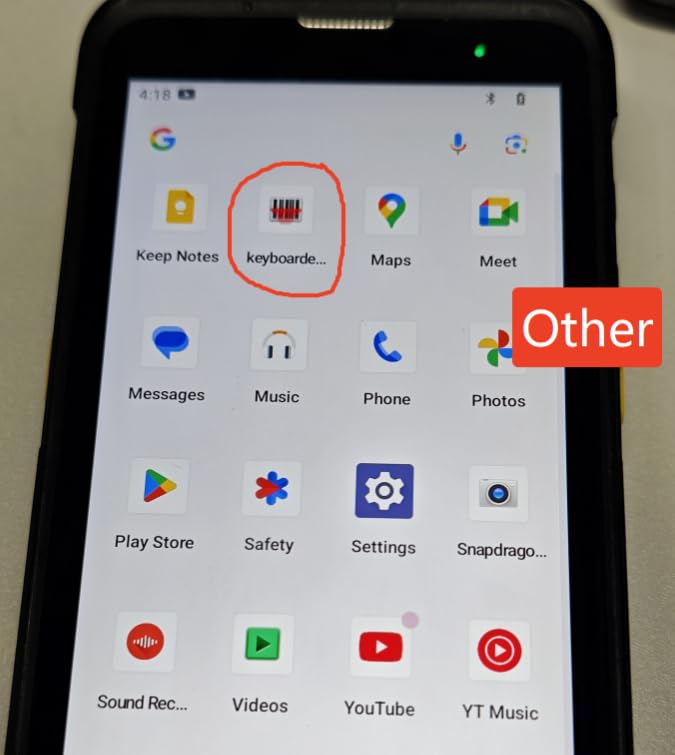
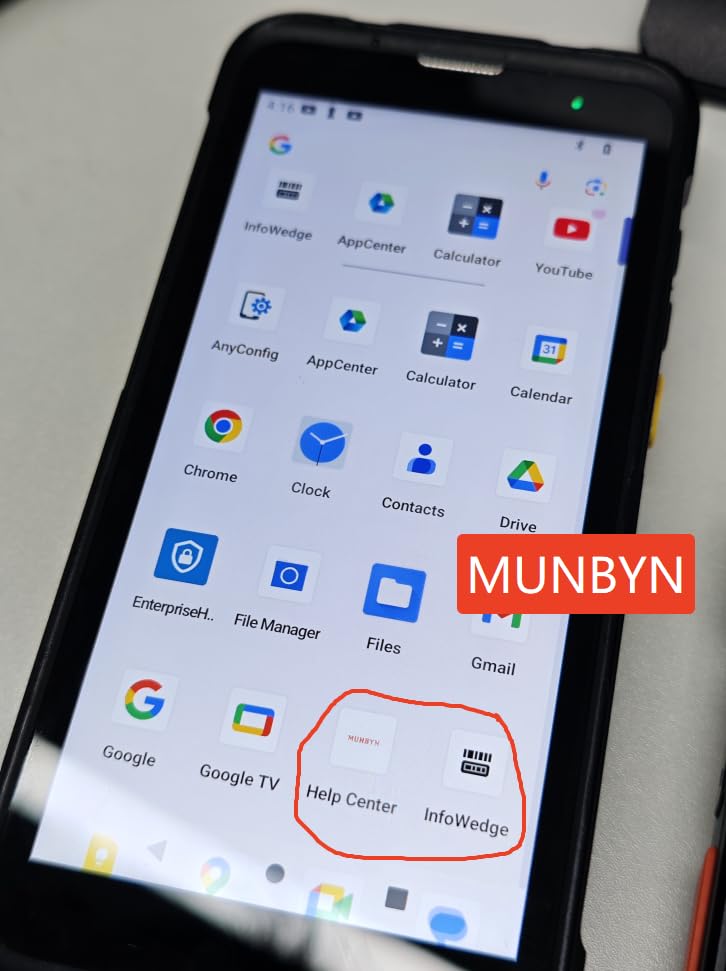
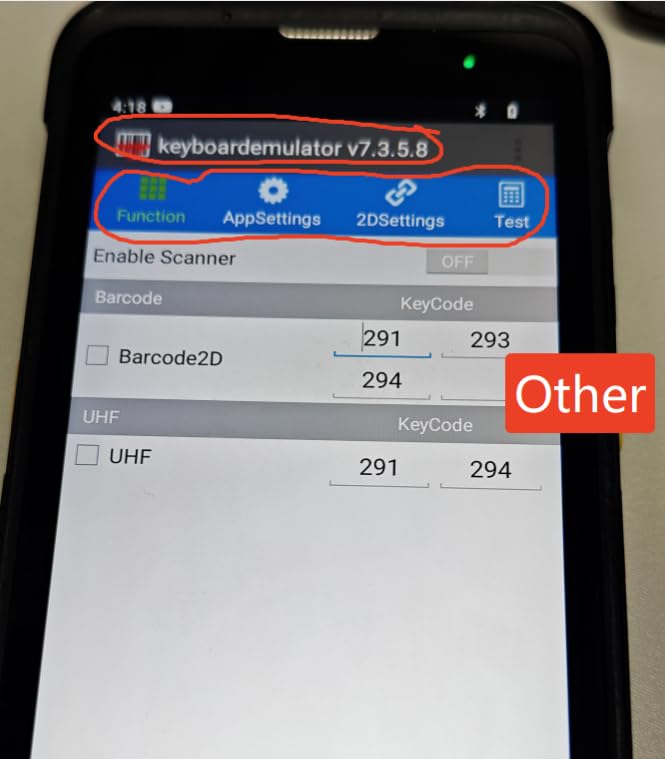
I initially thought they were products from the same company due to their similar appearance. However, after purchasing a non-MUNBYN product, I realized there are significant differences. MUNBYN��s scanning setup software, infoWedge, is very similar to ZebraDesign and offers comprehensive features, whereas other brands use keyboardemulators. This is just one of the many important distinctions. Additionally, the customer service from the other brand did not meet their claims; I received almost no response when I needed help. However, MUNBYN's support was exceptional��they helped us resolve issues quickly, even with non-MUNBYN scanners. Will hold on MUNBYN always.
S
This was a bit tricky to setup. This is essentially an android smartphone attached to a handle. It actually works great without the handle since i can just fit it in my pocket and scan things as needed.
D
Very good scanner - have been using them for over a year and no operational issues. we use them and leave them in a cooler (4'C) and no issues
A
The tech support is terrific which I don't expect.Love the scanner. Thank you
J
compact and works great. setup was easy and unit responsive.we purchased to try, now will be purchasing more due to its functionality and versatility.
A
We recently purchased the MUNBYN 2024 Barcode Scanners with Pistol Grip, and we are thoroughly impressed by their performance. The smooth and responsive user experience, combined with Wi-Fi 6, makes connectivity fast and reliable even in busy environments.The ergonomic pistol grip design is comfortable, allowing for easy use over longer periods without causing fatigue. The barcode scanning is impressively fast and accurate, which has significantly boosted our efficiency in daily operations.Setup was straightforward, and the device was ready to go after just a bit of configuration. Additionally, they are fully compatible with our MDM solution, which made the integration process seamless.Overall, these are powerful, reliable, and user-friendly barcode scanners that have become an essential tool in our business.
C
This Android barcode scanner features a large 5.5-inch touchscreen that provides users with clear visibility even outdoors due to its excellent sunlight readability, and the device uses a Zebra SE4710 scanner to ensure fast barcode scanning, even for damaged or unclear barcodes. The Barcode Scanner have a great battery life and the scanner is fast and can be customized to your needs��It solves my problem of finding inventory and counting goods!
E
The best scanner I have used, period. I work in IT and need to inventory things all the time. Usually, this involves manually noting inventory numbers in a database or spreadsheet. Those days are over now, I technically don't even need my laptop as this holds a SIM card and connects up to my data directly - I moved my files to a cloud-based storage and can now just scan and the data is posted instantly. Even correcting issues is a breeze given the large size of the display and good touchscreen. Basically, it is a full Android cellphone and a very high-end scanner in one perfect package, but with the double battery, you will never run out.
J
This hand scanner comes fully equipped with an advanced system. The mobile device doubles as a phone with 2 SIM card slots. It��s easy to use and the touchscreen is responsive. The Android 13 system seems to be the newest version available. You��re able to use this without the handle attachment to scan items. The system allows for a full inventory of items and is well organized. It helps you track when items come in and scan out to help keep stock well organized. It��s well made and relatively durable. You can download all your favorite apps as well as, remove the phone-mobile and use as a scanner and phone which helps you swallow the tag on this device. Overall, a great option for inventory keeping.
C
This handheld scanner is a great tool to have for vendor events. It��s easy to set up and you can add an air time if you want to make it more efficient.
J
Great product. Technical support is fabulous. We bought 10 of them for our warehouse.
h
This scanner is equipped with the latest Android 13 system, with a smooth interface and easy operation. The 5.5-inch full-screen design provides a wide field of view, sensitive touch, and a very good user experience. The screen display is also very clear, and information can be easily read in both indoor and outdoor lighting. The pistol grip design is a highlight of this scanner. It is comfortable to hold, effortless and convenient to operate, and is especially suitable for long-term use. In addition, the overall weight of the device is light, and it is also very convenient to carry without placing too much burden on the wrist. This device is equipped with a SE4710 Zebra scanner, which can read 1D, 2D and QR codes efficiently and quickly. Whether it is a paper label or a barcode on an electronic screen, it can be accurately identified, greatly improving work efficiency. For work environments that require frequent barcode scanning, this device is undoubtedly an ideal choice, but its price is a bit high. I hope it can be more value for money.
S
The Munbyn pistol scanner functionality has totally answered our needs, allowing us to run our warehouse inventory application on the device and scan warehouse supply to keep us accurate and on track. It will also allow us the user the flexibility of tracking their time through our time tracking application. We have had no complaints from the users on ease of use. The batteries have also allowed for enough run-time to get through each shift. Munbyn has also offered quick quality support for any questions that have come up.
A
This scanner is great, works perfectly and the customer service is excellent. They very professional and helpfull. I recommend this product.
S
I have purchased 5 of these for barcode scanners for our receiving department and they have proven to be excellent and very good quality for the price.The customer service that they provide is excellent.I would highly recommend the Munbyn.
T
We have had a number of Munbyn scanners over the years and anytime we have the slightest issue, Mynbyn support was right on it!
A
We used the Zebra MC9200 before we switched to this scanner while the functionality is the same but just a fraction of the cost. They also provide a good after sales service to their customers.
G
MUNBYN's new android inventory scanner is perfect for our company! The scanner is easy to use and works perfectly with our inventory program. The device's battery is durable enough to work in our freezer/cooler storage facility for the whole shift. The device has a large screen that makes reading a breeze but also still small enough to comfortably work with for a whole shift.On a bonus note, MUNBYN"s customer service team is phenomenal! They were able to respond to all of my questions and concerns in a timely manner. They were able to guide me through setting up the device to adjust settings to make our program and the device programming compatible.I would highly recommend this device after my experience with both the device and the support team!
L
Great product and great customer service�� We purchased 2 in March 2025 then purchased 2 more this month because we really like these scanners�� Very happy with the products��and highly recommend��
J
We have purchased 25 of these over the last 4 years. We have a warehouse team of 30 shipping millions of units per year.We run our web-based WMS on these scanners and have had great experience. Straight out of the box they do great. When you need help they have a great support team as well.
C
Strongly recommend!!! This products is so good that scan our products label correctly and efficiently. We bought two for our warehouse, and it is amazing! The battery also last long time enough to use the whole day without charging again. Good products!!!
H
These pistol grip android scanners are great for warehousing, manufacturing, inventory, etc. Android operating system is fast and smooth and capable. The scanner fidelity is fantastic and reads everything we throw at it. The Dual batteries have a long life and allow for hours of use. The form factor and size of the pistol grip is very ergonomic and efficient. Very happy with these scanners.
A
We ordered 12 of these for use in a warehouse. They have been solid devices and the customer service has been solid as well.
FAQs
Please read our FAQs page to find out more.
What is the MUNBYN IPDA101 handheld mobile computer designed for?
Which barcodes can the IPDA101 Zebra SE4710 scan?
Does the IPDA101 handheld mobile computer support Wi-Fi 6 and mobile data?
Can I install inventory apps on the MUNBYN IPDA101 handheld scanner?
Is the IPDA101 screen usable outdoors or with gloves?
How long can the IPDA101 scanner's battery run during a shift?
How rugged is the MUNBYN IPDA101 barcode scanner?
Why might the IPDA101 scanner stop working while the camera is open?
Free shipping and returns